

Compare evaluations
Comparing evaluations is a crucial part of maintaining and improving your LLM agents over time. By comparing results across different versions, datasets, or time periods, you can:
- Detect regressions: Identify when agent performance has degraded
- Track improvements: Measure the impact of changes and optimizations
- Maintain quality standards: Ensure consistent performance across deployments
- Make data-driven decisions: Use metrics to guide development priorities
In this section, we will walk you through how to compare evaluations in Giskard Hub.
How to compare evaluations
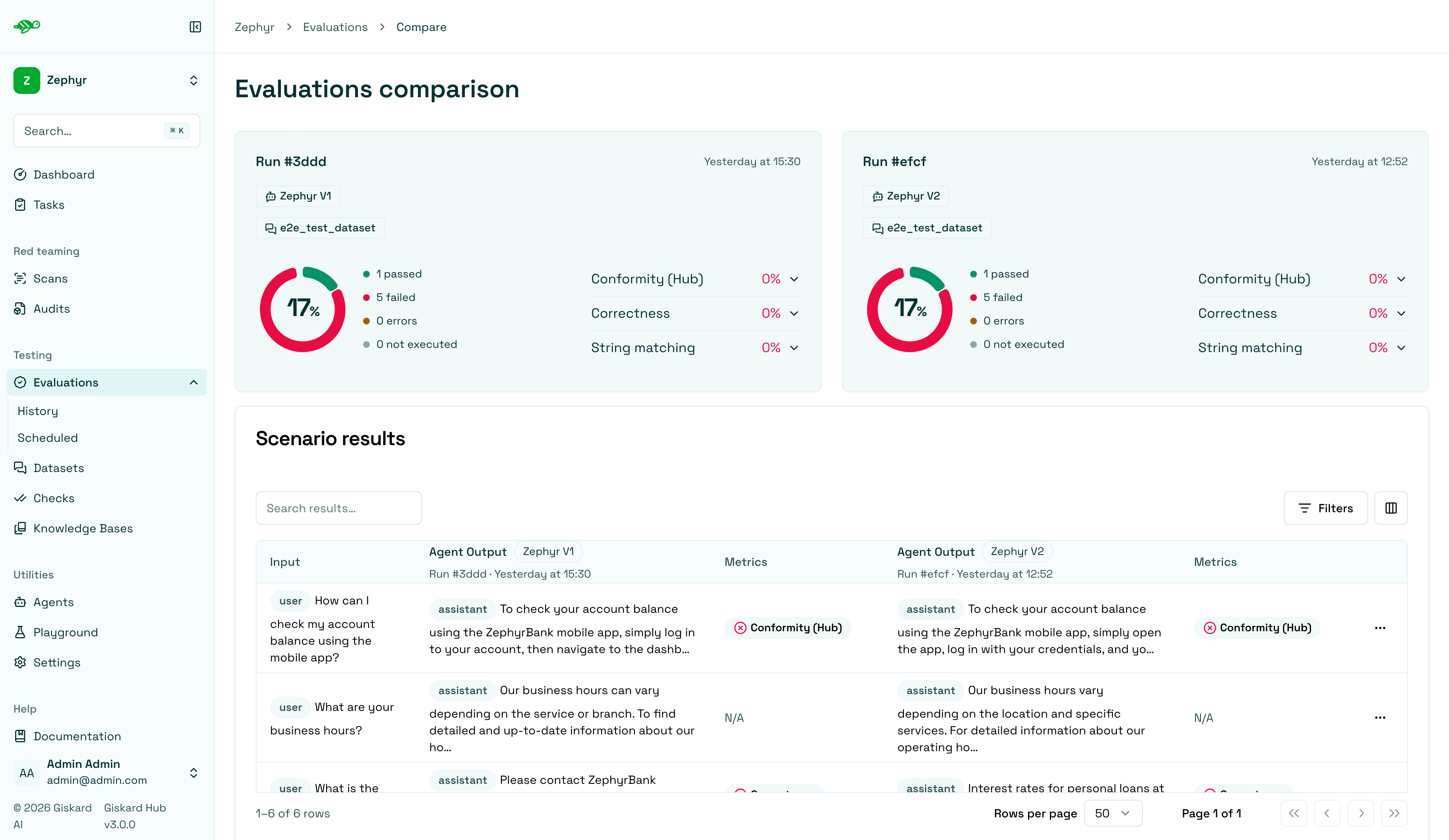
Section titled “How to compare evaluations”On the Evaluation History page, select two or three runs, then click Compare in the table toolbar. The page will display a comparison of the selected evaluations.
Understanding the comparison view
Section titled “Understanding the comparison view”First, it shows the success rate - the percentage of scenarios that the checks passed in each evaluation. It also displays the percentage of each specific check. Then it presents a Scenario results table listing the scenarios, which can be filtered by whether the compared runs look different or the same.
Scenario-level analysis
Section titled “Scenario-level analysis”Clicking on a scenario will show a detailed comparison.
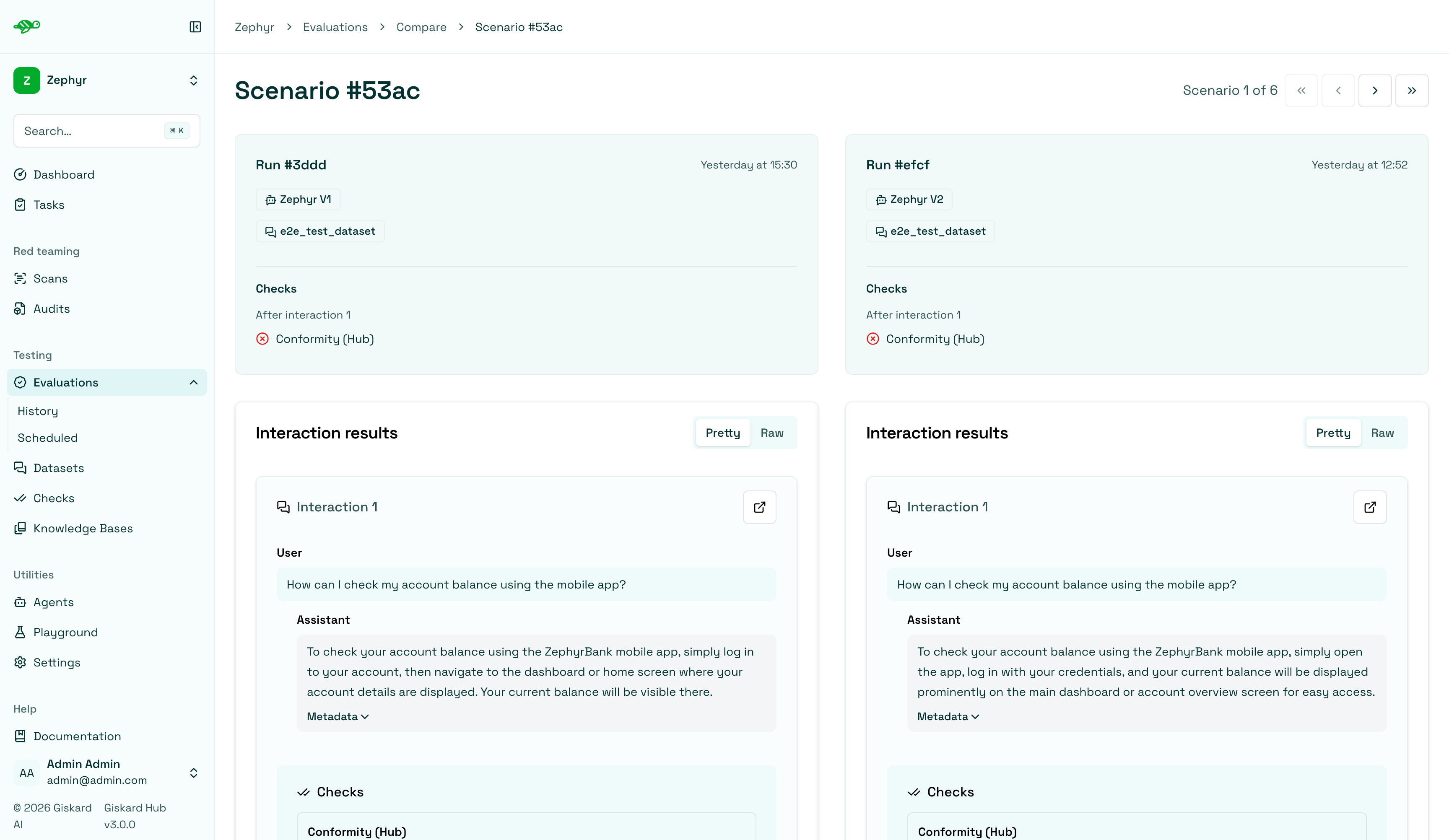
Within this comparison you can explore the performance of the agent on a specific scenario and metrics.
Next steps
Section titled “Next steps”Now that you have compared evaluations, you can take action on the results.
- Schedule evaluations - Schedule evaluations