

Generate knowledge base scenarios
Knowledge base testing focuses on ensuring that your LLM agents meet the specific requirements and expectations of your business domain. It evaluates the agent’s ability to provide accurate, reliable, and appropriate responses in normal usage scenarios based on your knowledge base.
In this section, we will walk you through how to generate knowledge base-focused scenarios using the Hub interface.
AI systems in business environments must provide accurate, reliable responses that align with your organization’s knowledge and policies. However, manually creating comprehensive scenarios for every possible business situation is impractical and often leaves critical failure modes undetected.
Giskard Hub solves this challenge by enabling business users to directly generate synthetic tests from knowledge bases without requiring coding skills.
Knowledge base scenario generation
Section titled “Knowledge base scenario generation”The Giskard Hub provides an intuitive interface for synthetic test generation from your knowledge base. It generates legitimate user queries alongside their expected knowledge base context and answer, using the knowledge base as the ground truth. Your knowledge base documents are automatically clustered into key topics upon import. You can also re-use business topics that you set manually during knowledge base import.
Then, for each topic/cluster of knowledge base documents, it generates representative scenarios, applying a set of perturbations to generate legitimate queries that mimic real user behavior.
These clusters and topics are then used to generate dedicated tests that challenge the agent to answer questions about specific topics in ways that might not align with your business rules.
Getting started
Section titled “Getting started”To begin, navigate to the Datasets page and click Generate in the upper-right corner of the screen. This opens the Pick your generation type modal with two options: Prompt preset and Knowledge base. Select the Knowledge base option.
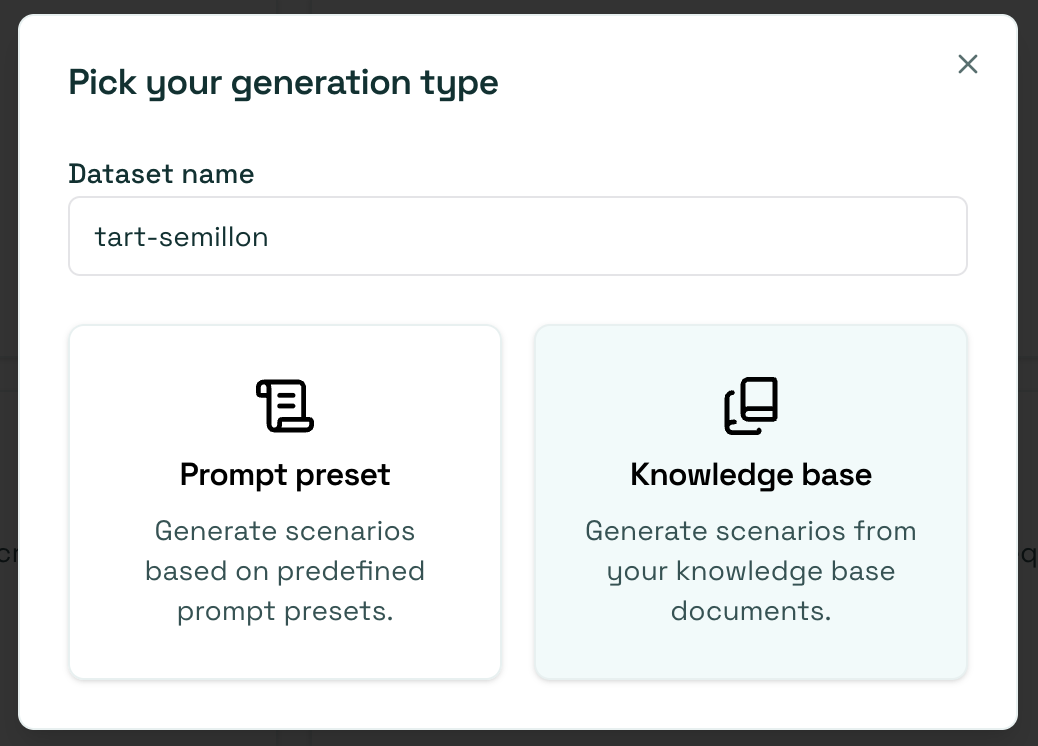
Starting from the Datasets page, the modal also asks for a Dataset name: the scenarios land in a new dataset created on the fly. Starting the generation from within an existing dataset skips this and adds the scenarios to that dataset.
Select a knowledge base
Section titled “Select a knowledge base”The Knowledge Base tab allows you to generate a dataset with examples based on your knowledge base.
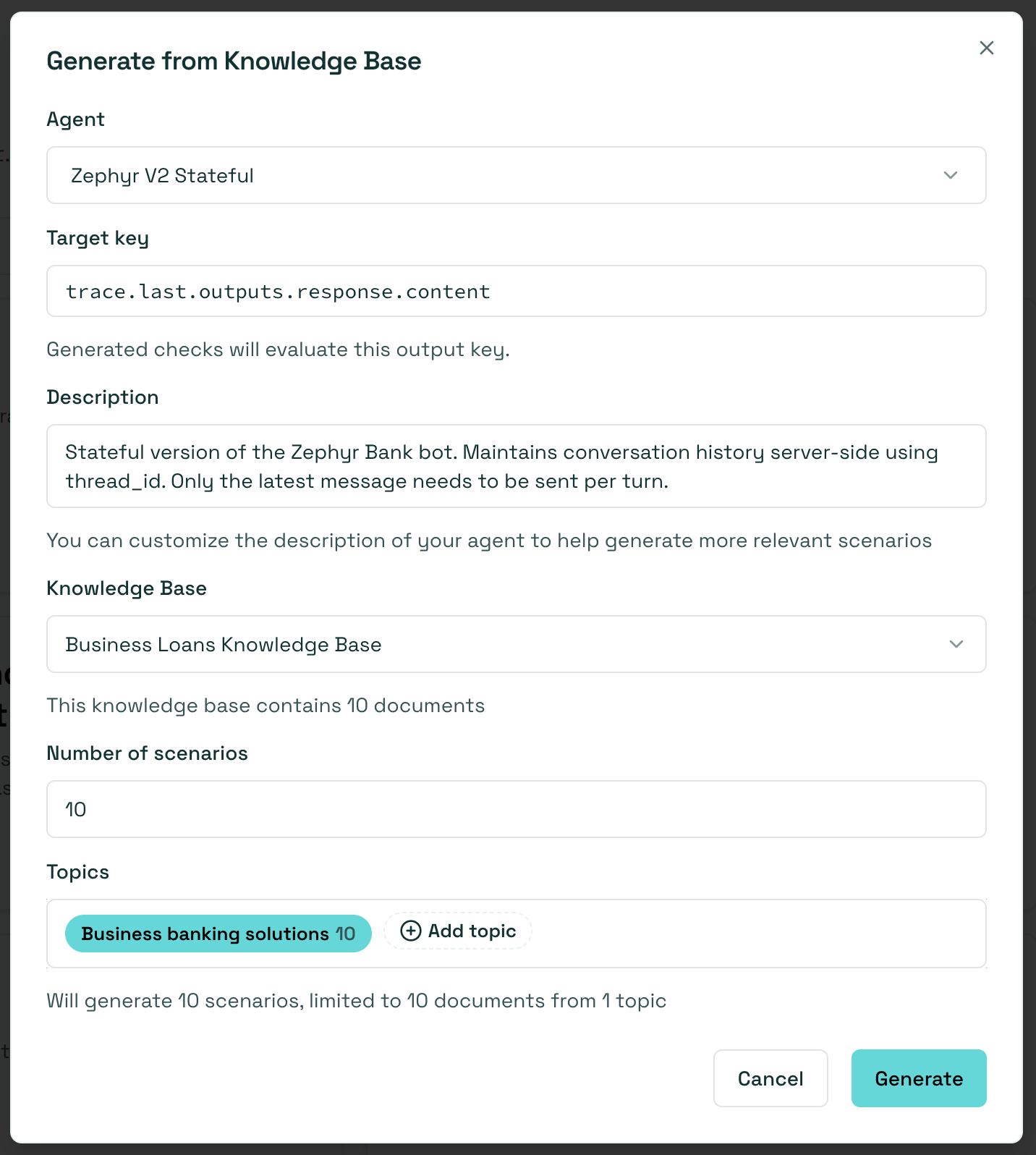
In this case, dataset generation requires two additional pieces of information:
Knowledge Base: Choose the knowledge base you want to use as a reference.Topics: Select the topics within the chosen knowledge base from which you want to generate examples.
Once you click on “Generate,” you receive a dataset where:
- The groundedness check is enabled by default: the context for each test consists of the relevant knowledge documents needed to answer the query, ensuring the agent’s response is based on the provided ground truth.
- The correctness check is initially disabled, but the expected answer (reference output) is automatically prefilled by the Hub. To evaluate your agent with the correctness check, you can enable it manually for individual scenarios or in bulk by selecting multiple scenarios in the Dataset tab and enabling the correctness check for all of them.
Next steps
Section titled “Next steps”- Agentic vulnerability detection - Try Vulnerability Scanner
- Generate prompt preset scenarios - Try Prompt preset scenarios
- Review scenarios - Make sure to Annotate