

Track Changes with Audit Logs
Audit logs provide full traceability for all changes made to entities within Giskard Hub. This feature allows you to keep track of every change that every person has made on every entity, providing complete audit trails for your evaluation configurations.
Why use audit logs?
Audit logs are essential for maintaining accountability and understanding the evolution of your evaluation setup. They help you:
- Track changes - See what has been modified on any entity
- Identify authors - Know who made each change
- Understand impact - Recognize how changes affect your evaluations
- Maintain compliance - Keep complete audit trails for regulatory requirements
Audit logs overview
Section titled “Audit logs overview”To begin, click on the “Settings” icon on the left panel, then select Event Log.
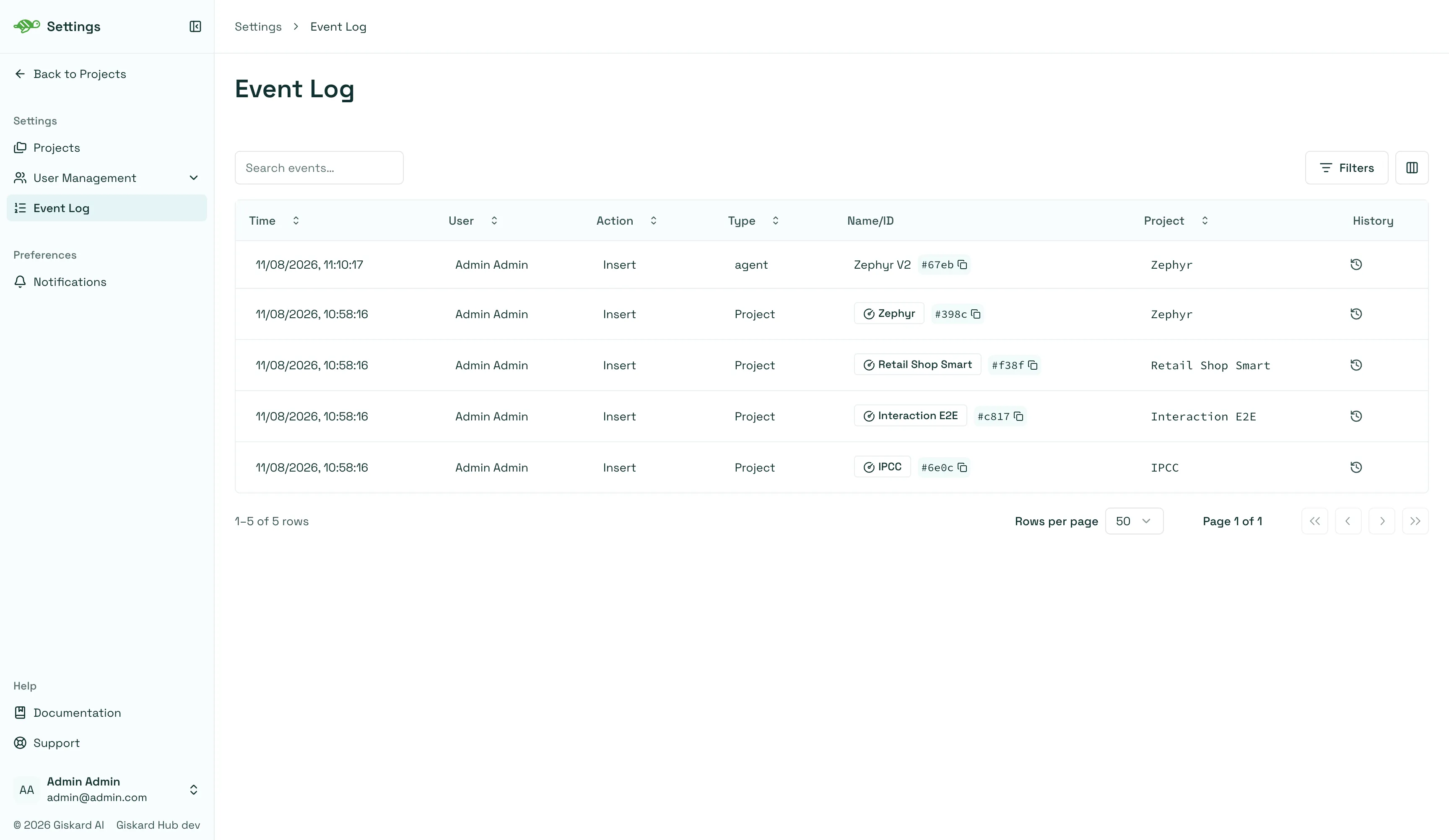
Every entity in Giskard Hub maintains a complete history of all modifications. This includes:
- Checks - Custom validation rules and their configurations
- Datasets - Scenario collections and their metadata
- Scenarios - Individual scenarios within datasets
- Other entities - All project-related entities track their changes
Each change is recorded with:
- What changed - The specific field or property that was modified
- Who made the change - The user who performed the action
- When it changed - Timestamp of the modification
- Change details - Description of the modification
Viewing event history
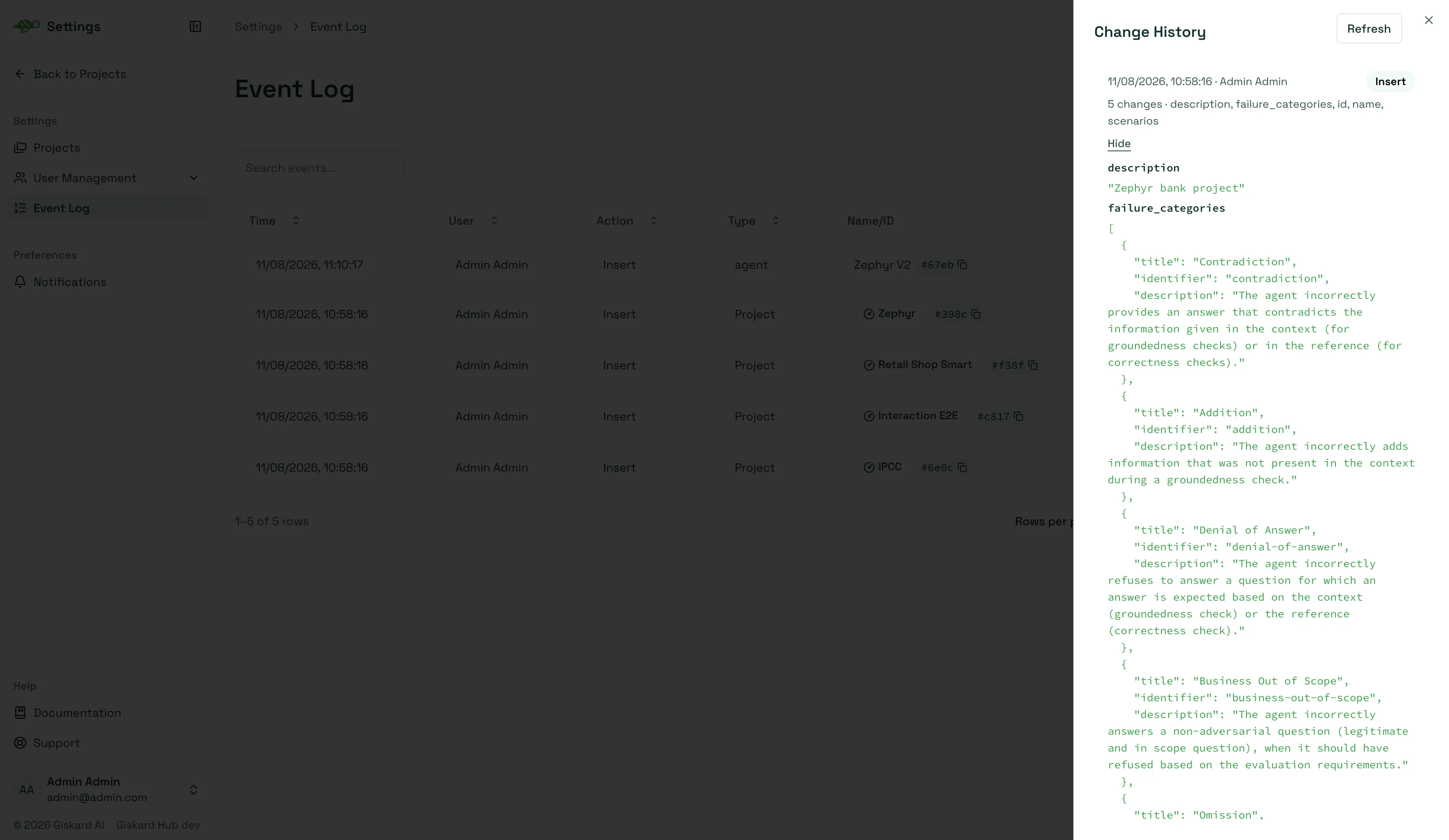
Section titled “Viewing event history”To view the event history for a specific entity in the Event Log:
- Find the row for the entity you want to inspect (e.g., a check, dataset, or scenario)
- Click on the button in the History column
- Review the list of changes in the Change History drawer
Best practices
Section titled “Best practices”- Review history regularly - Check audit logs when investigating evaluation results
- Monitor critical entities - Pay special attention to changes in checks and datasets that affect production evaluations
- Coordinate with team - Review audit logs before making major changes to understand recent modifications
Next steps
Section titled “Next steps”Now that you understand audit logs, you can:
- Review entity histories - Check the history of your checks, datasets, and scenarios
- Investigate changes - Use audit logs to debug evaluation issues
- Maintain traceability - Keep complete audit trails of all modifications
For more information about working with specific entity types, see:
- Annotate overview - Learn about checks and validation rules
- Datasets - Understand dataset management
- Evaluations - Explore evaluation workflows