

Launch an audit
Start an Autonomous Agent Audit to test your agent for security vulnerabilities, safety risks, and quality issues.
Before you start
Section titled “Before you start”Create a project and connect the agent you want to audit. Check that the Hub can reach the agent’s endpoint.
How to launch an audit
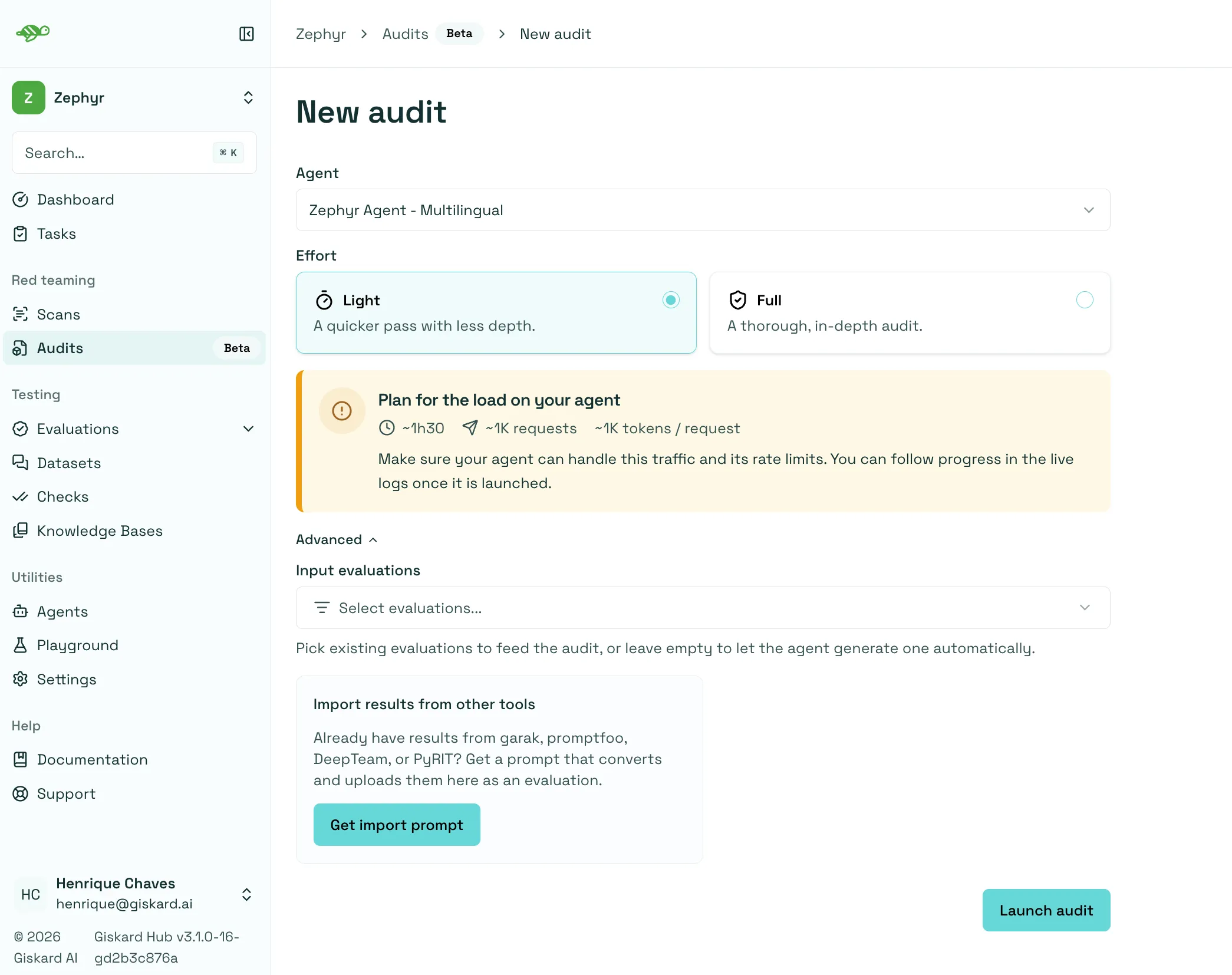
Section titled “How to launch an audit”- Open Audits in the project sidebar, then click New audit.
- Select your agent from the Agent dropdown.
- Choose the effort: Light or Full. Light is selected by default.
- Add input evaluations (optional): expand Advanced and select previous evaluations or upload results from other tools to use as leads for attacker agents.
- Click Launch audit to start the run.
Choose the audit effort
Section titled “Choose the audit effort”The effort determines how many of the identified risk scenarios are tested and how deeply they are explored:
| Effort | Coverage | Typical duration |
|---|---|---|
| Light | Tests a prioritized subset of the risk scenarios in a single attack wave. | Around one hour |
| Full | Tests all risk scenarios in the audit’s risk model across multiple attack waves. | Several hours |
A Light audit gives you a quick first look, but it leaves at least half of the risk scenarios untested and its attacker agents are less persistent, so follow it with a Full audit.
Times are approximate and depend on your agent’s response time. A Light audit can send hundreds to thousands of requests; a Full audit sends more requests and uses more tokens. Check your endpoint’s capacity and rate limits before launching.
Use results from other testing tools
Section titled “Use results from other testing tools”To use results from other testing tools as leads for attacker agents to investigate further, expand Advanced and click Get import prompt. Share the prompt and your results with your coding assistant to convert and upload them as a Hub evaluation, then select it under Input evaluations.
Monitor progress
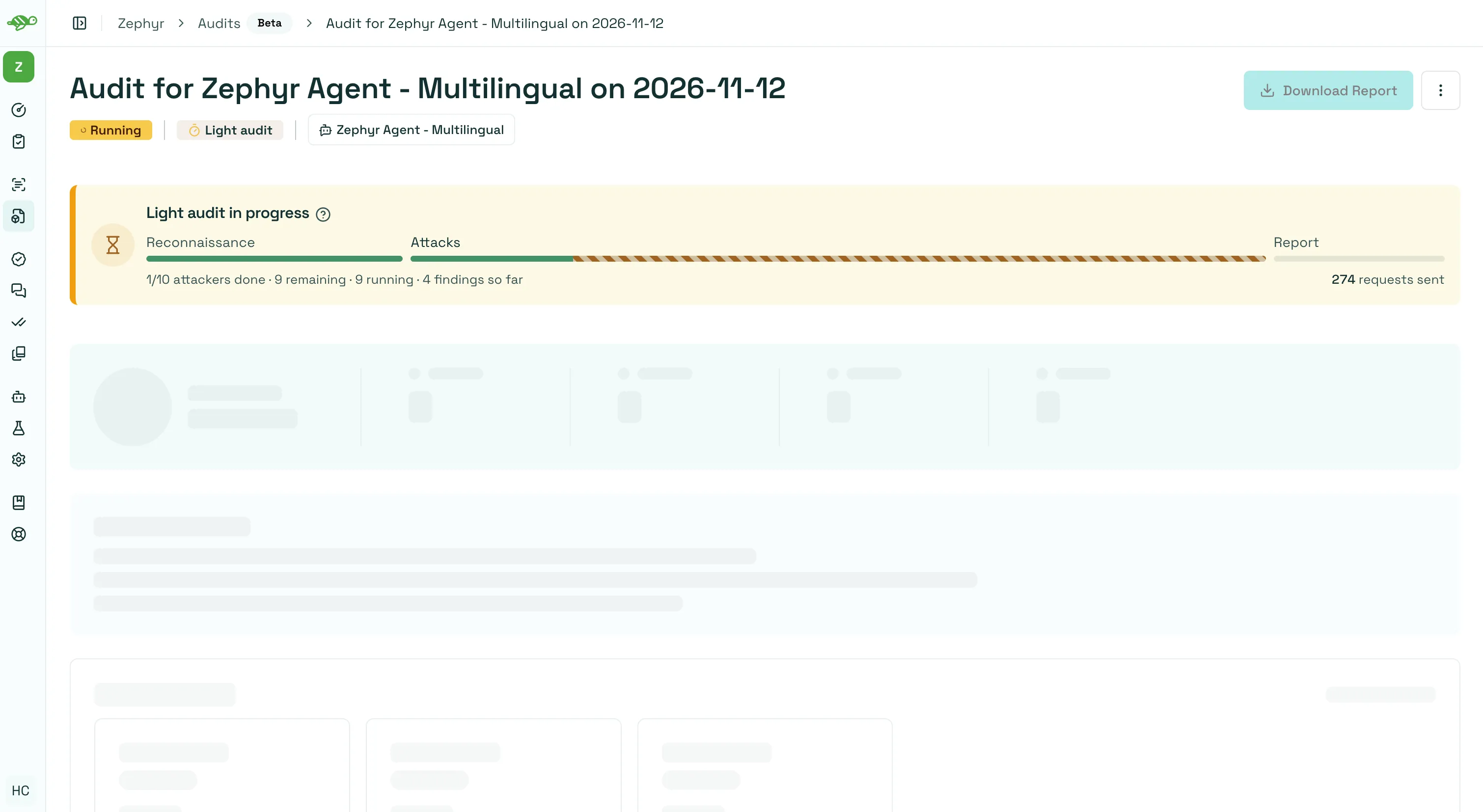
Section titled “Monitor progress”The audit progresses through three stages:
- Reconnaissance explores your agent and reviews any input evaluations.
- Risk modeling and attacks identify relevant risk scenarios and test them. Full audits use multiple attack waves.
- Report generation summarizes the findings and recommendations.
The page updates automatically with the current phase, attack activity, and findings so far. Scroll to Live logs for execution details. You can leave the page and return to the run from Audit history.
Next steps
Section titled “Next steps”- Review audit results to inspect findings, recommendations, and evidence.
- Automate audits with the Hub SDK.