

Schedule evaluations
You can schedule evaluations to run automatically at regular intervals. This is useful to detect regressions in your agent’s performance over time.
Open the schedule view
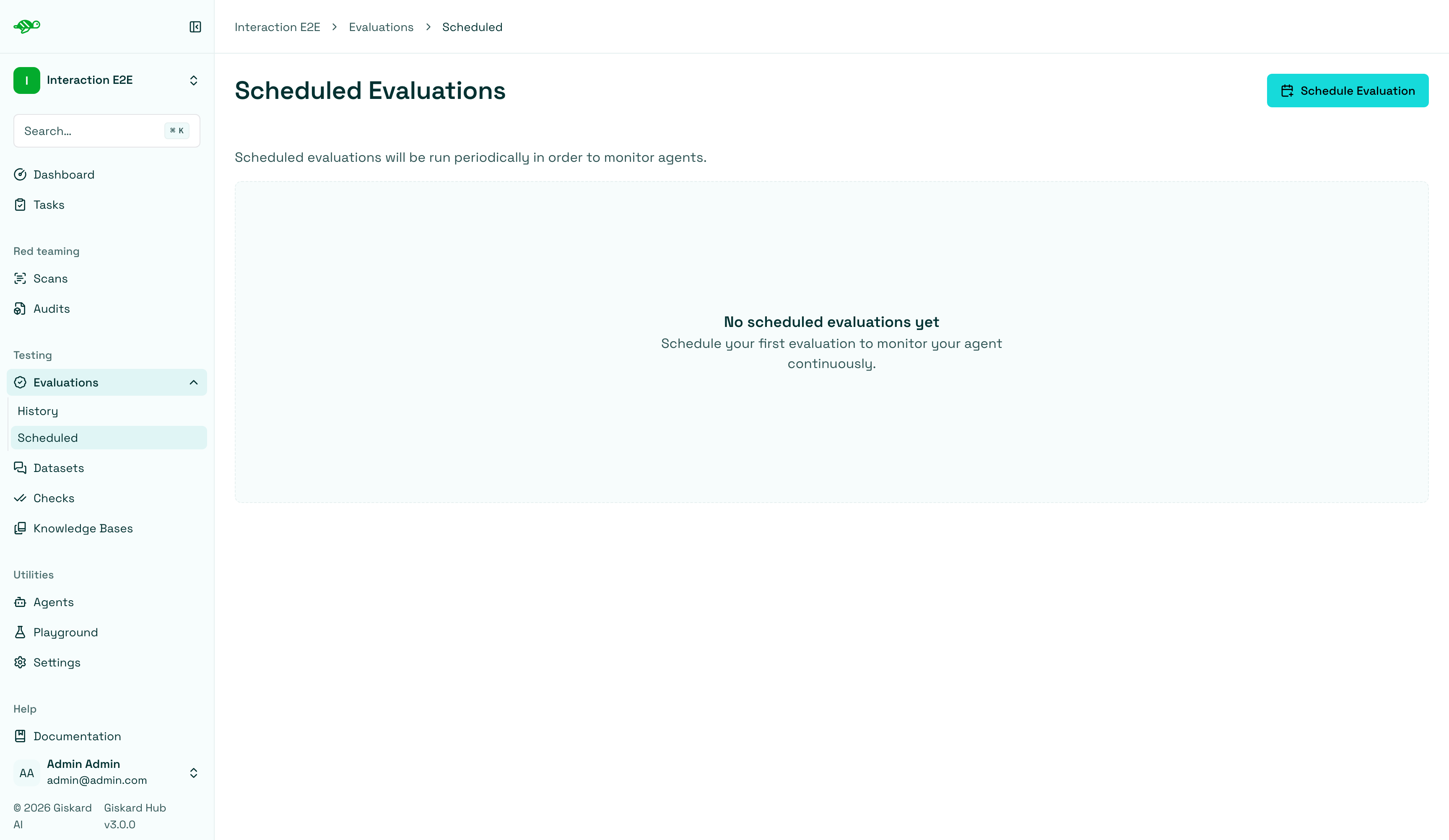
Section titled “Open the schedule view”In the sidebar, open Evaluations and click Scheduled. This will display a list of all the scheduled evaluations.
Create a new schedule
Section titled “Create a new schedule”To create a new scheduled evaluation, click on the “Schedule Evaluation” button in the upper right corner of the screen.
Configure the schedule
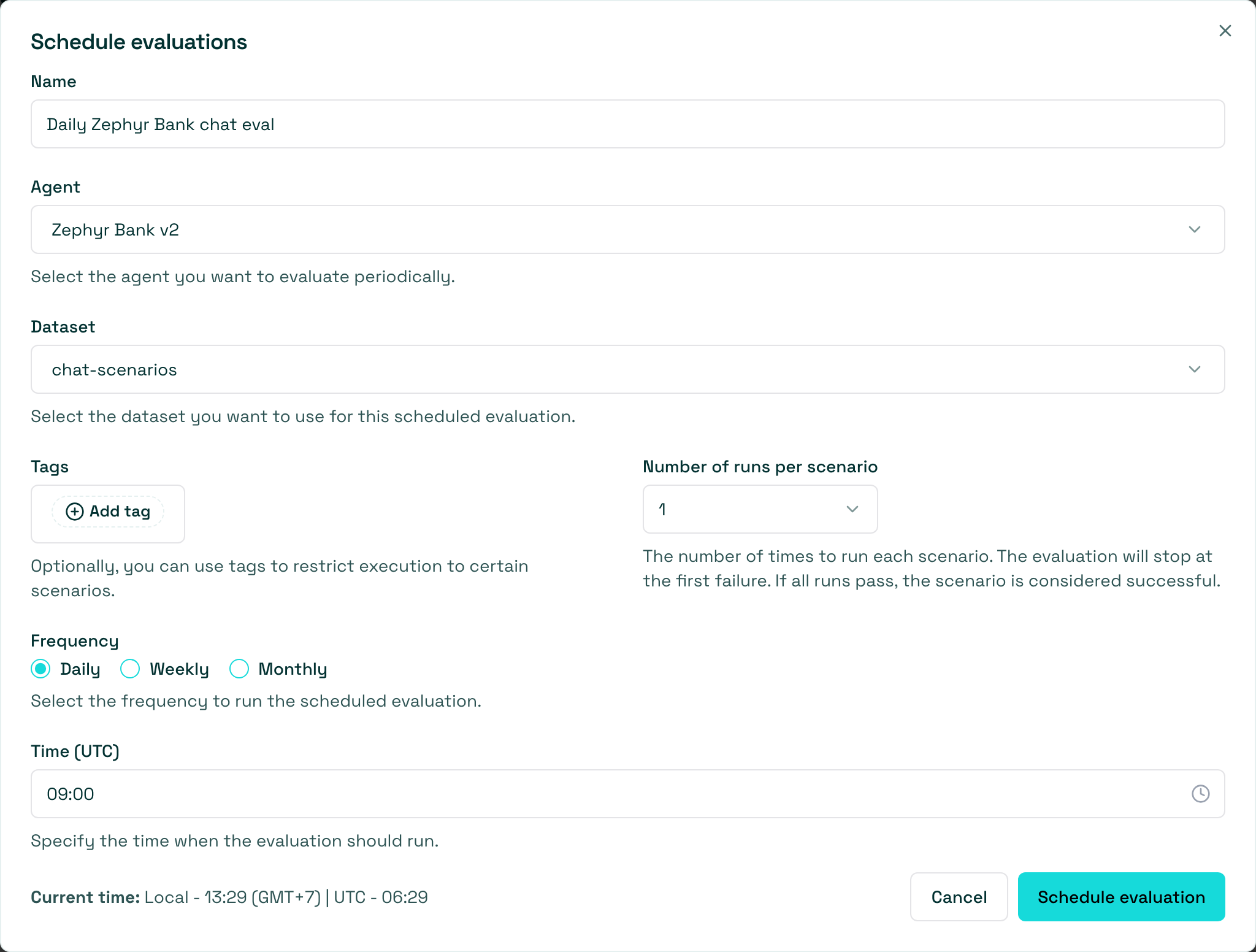
Section titled “Configure the schedule”Next, set the parameters for the evaluation:
-
Name: Give your evaluation a name. -
Agent: Select the agent you want to evaluate. -
Dataset: Choose the dataset you want to use for the evaluation. -
Tags(optional): Limit the evaluation to a specific subset of the dataset by applying tags. -
Number of runs per scenario: Choose how many times to run each scenario (1–5). The evaluation stops at the first failure; if all runs pass, the scenario is considered successful. -
Frequency: Select Daily, Weekly, or Monthly. -
Day of the week: Shown when Frequency is Weekly. Select which day the evaluation should run. -
Day of the month: Shown when Frequency is Monthly. Select a day from 1 to 28. -
Time (UTC): Select the time for the evaluation in UTC. The dialog also shows your current local time.
After filling the form, click on the “Schedule evaluation” button, which will create the evaluation run and schedule it to run at the specified frequency and time.
Next steps
Section titled “Next steps”Now that you have scheduled an evaluation, you can take action on the results.
- Compare evaluations - Compare evaluations